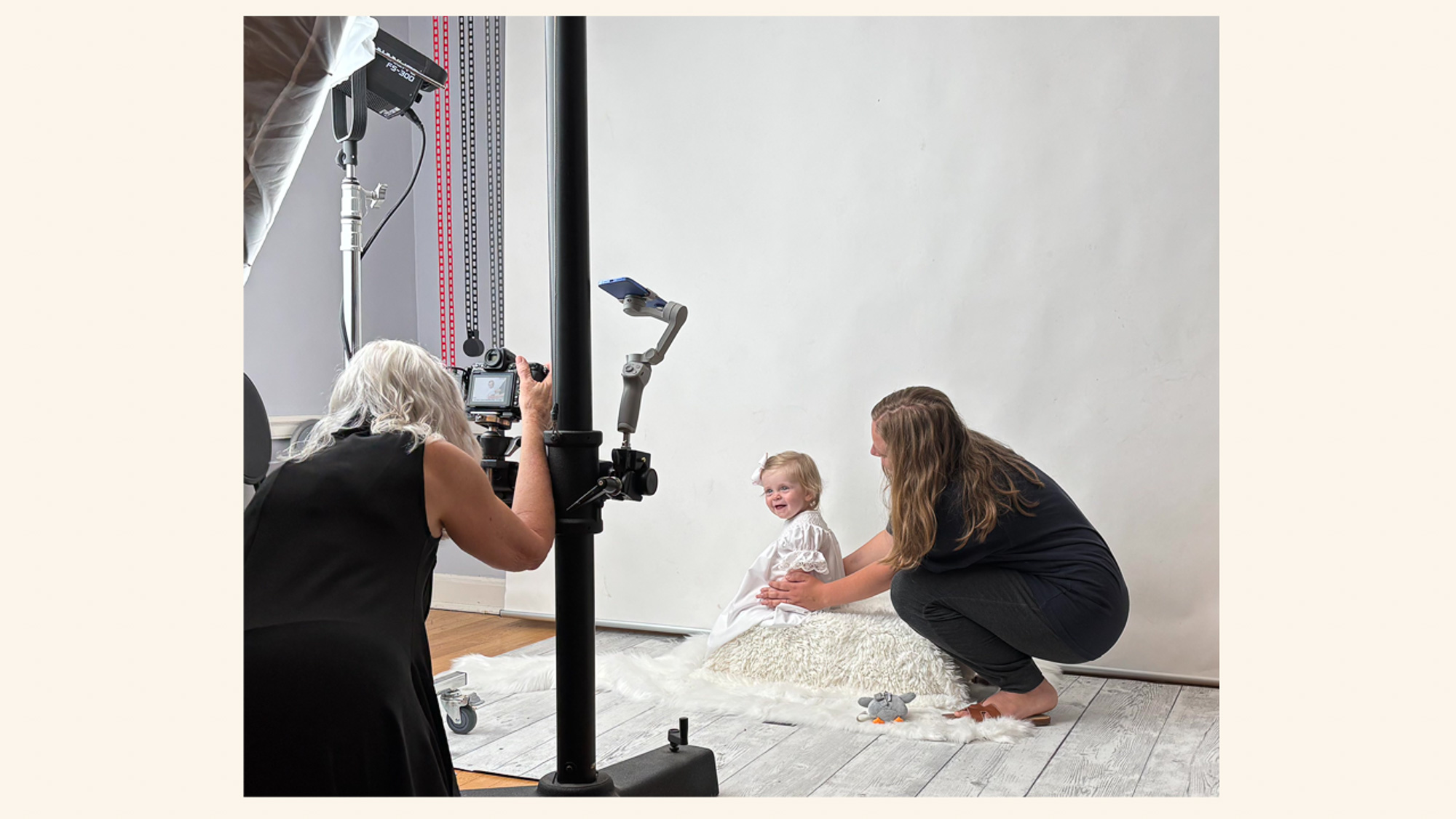
Running a portrait photography business is very personal. I talk with prospective clients before they book. I meet with families to plan their sessions and the artwork they want to create. I photograph them, help them select their favorite images, design finished pieces for their homes, and deliver those pieces when they are ready. When an installation is needed, I manage that, too.
All of that personal attention requires a surprising amount of administration behind the scenes.
I need to respond to inquiries, schedule appointments, send information at the right time, create invoices, collect payments, and keep track of dozens of smaller tasks along the way. I usually have several clients at different stages, so I need to know where each one stands and what needs to happen next.
I use 17hats to manage the administrative side of my photography business.
As a solopreneur, I don’t have another person keeping track of the details for me. I need systems that keep my business running smoothly and consistently without making the client experience feel automated. In fact, the technology should be—and is—largely invisible to the client.
My philosophy is simple: I automate the administration, not the relationships.
I spend less time managing the impersonal mechanics of running my business and more time working directly with my clients, understanding what matters to them, and creating portraits and finished artwork that are meaningful to their families.
Communicating Consistently Without Starting From Scratch
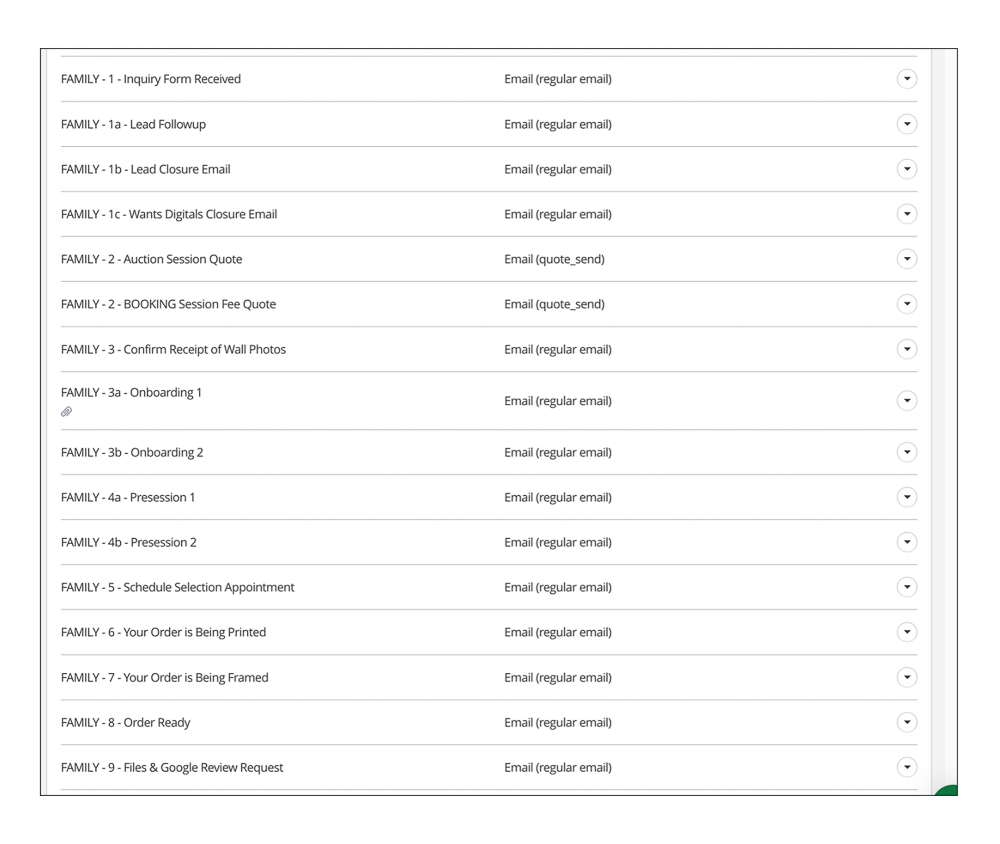
One of the most important reasons I use 17hats is to communicate consistently with my clients. Over the years, I have created email templates for nearly every stage, from the first inquiry through the delivery of finished artwork. I don’t have to start with a blank screen every time I need to send an email, and I don’t have to rely on memory to make sure I’ve included everything a client needs to know.
Some of those emails go out automatically as part of a workflow. Others are templates I customize and send manually when a particular situation arises. Either way, I have already taken the time to think through what I want to communicate, what information the client needs at that point, and how I want to say it.
The templates give my clients a more consistent experience, and they give me the flexibility to communicate personally. I can edit an existing template before I send it, or write an entirely personal email when that’s more appropriate. I don’t automate communication simply because I can.
Having that foundation in place also means that a busy week doesn’t change the quality of my communication. I’m not hurriedly composing an appointment reminder, trying to remember what I usually tell someone before a design consultation, or rewriting instructions I’ve already written dozens of times. The routine communication is already there, which leaves me more time and attention for the conversations that aren’t routine.
Scheduling Without Letting Scheduling Take Over
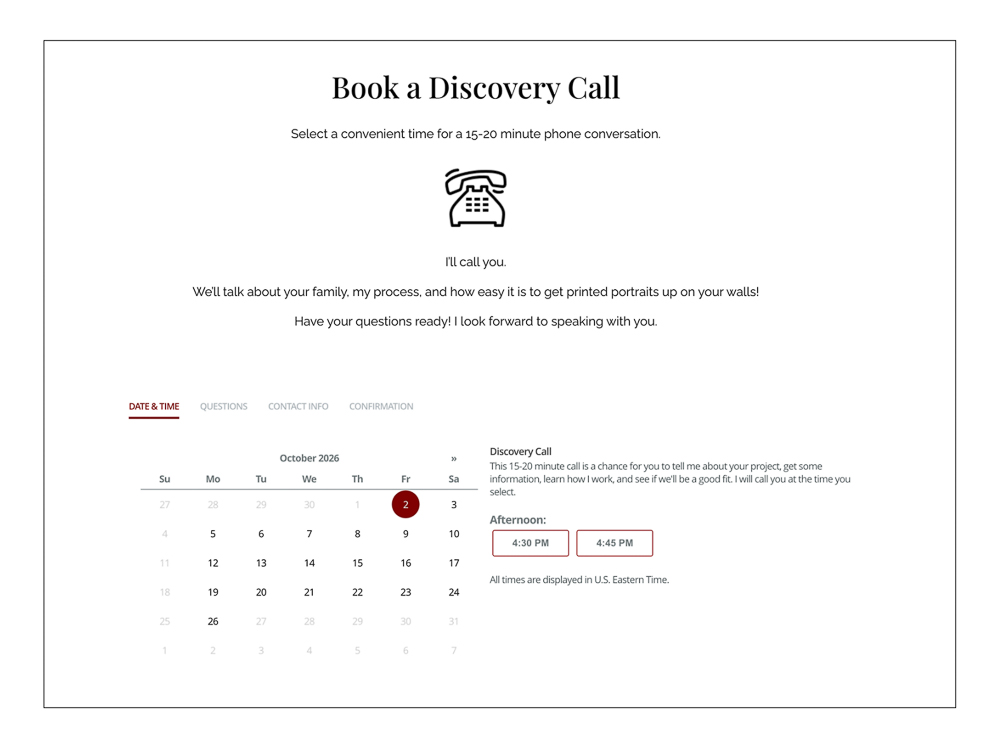
Scheduling is one of those routine administrative tasks that can consume a surprising amount of time. For the initial discovery call, prospective clients schedule themselves by choosing from the times I’ve made available on my calendar. That eliminates back-and-forth emails trying to find a mutually convenient time. It also makes it easy for someone who is ready to talk with me to take the next step.
Once someone decides to work with me, I schedule the remaining appointments personally. By this point, I’m guiding the client through my process, and choosing those dates and times is part of the conversation.
After I schedule an appointment, 17hats handles the administrative details around it. It adds the appointment to my calendar and the client’s project, sends the appropriate confirmation, and reminds the client as the appointment approaches. I don’t have to remember to send those routine communications myself, and the client always knows what we’ve scheduled and what comes next.
I use automation selectively here, too. Self-scheduling makes the beginning easier for both of us. After that, I prefer to handle scheduling personally and let 17hats take care of the details.
Knowing Where Every Client Is
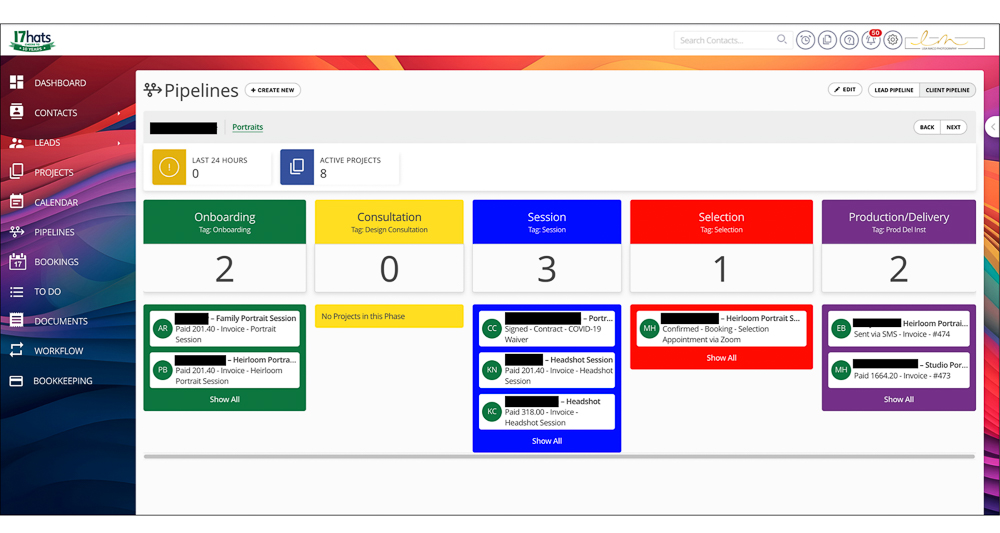
Beyond individual appointments, I also need to keep track of where each client is in the larger arc of their project. At the broadest level, I divide my client work into six phases:
Inquiry → Vetting → Booking → Execution → Production → Delivery/Installation
17hats gives me a high-level view of those phases. I can quickly see which prospective clients still need attention, which clients have booked, which sessions are coming up, which orders are in production, and which projects are nearing completion. I don’t have to open individual client records or search through my calendar to know what is happening across my business.
The high-level view also helps me manage my time. The work associated with a portrait session extends well beyond the time I spend behind the camera. A client whose session took place several weeks ago may still have artwork in production, while another may need my attention as we prepare for an upcoming session. Seeing the big picture helps me know where I need to focus.
Making Sure Nothing Gets Missed
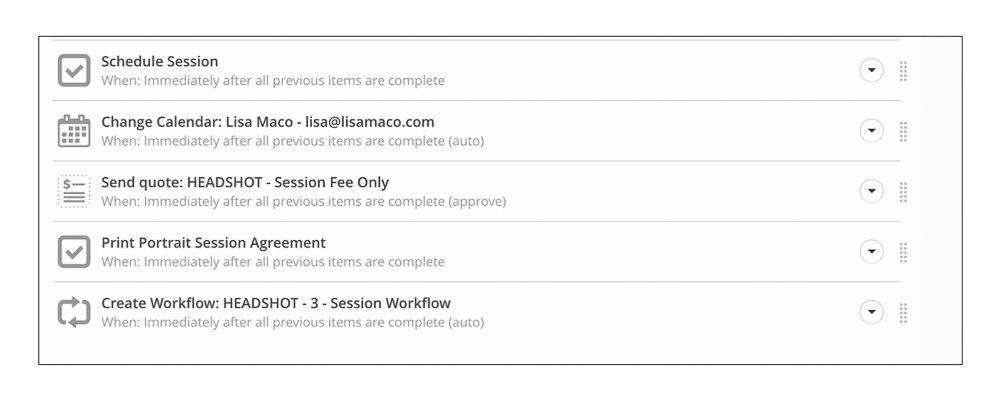
The high-level view tells me where each client is. My workflows help me manage all the individual steps that need to happen along the way.
Some steps happen automatically. An email goes out at a predetermined point or an appointment reminder is sent. Other steps are simply reminders for me to do something personally.
Reliable workflows are one of the biggest reasons I use 17hats. I don’t have to keep every detail for every client in my head. I’ve built my process into the system, so I can follow it consistently from one client to the next. If I decide there’s a better way to handle something, I can update the workflow and use the improved version going forward.
Workflows are particularly valuable when I’m busy. I can concentrate on the work in front of me without worrying that I’ve forgotten something that needs to happen for another client. 17hats keeps the administrative work moving and lets me know when I need to step in.
Reliable workflows are vital for a solopreneur. There isn’t another person in my business checking behind me or reminding me what I forgot to do. My workflows give me the structure I need to manage a detailed client experience reliably while still giving each client personal attention.
Keeping Invoices and Payments Organized
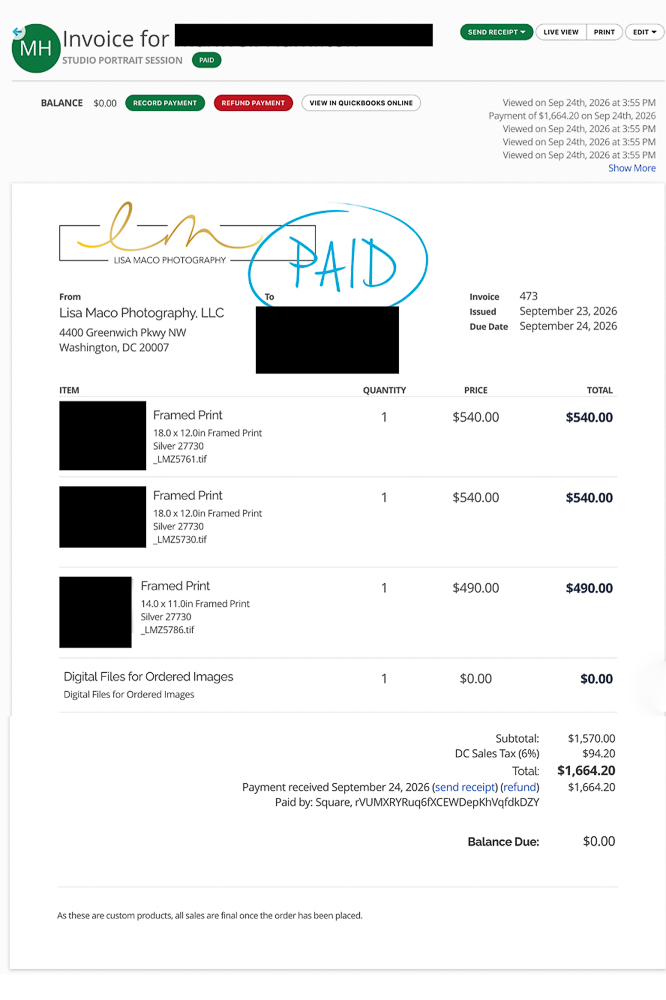
Invoices and payments are another administrative piece I want to keep simple and organized. For portrait clients, that starts with the session fee when they book and continues through the purchase of finished artwork later. After a selection appointment, I create an invoice for the pieces the client has chosen and send it directly through 17hats.
Keeping everything connected to the client’s project lets me quickly see what I’ve invoiced, what has been paid, and whether I need to follow up. I don’t have to search through emails or check another system to know where things stand.
Payments tie directly into the rest of my workflow. When a client pays the session fee, 17hats automatically starts my onboarding workflow, including the emails that help the client prepare for what comes next. If an invoice remains unpaid, I can see that it needs my attention. I don’t have to remember to check; the system keeps track of it for me.
There’s nothing particularly personal about processing a payment or keeping track of an invoice, which makes these exactly the kinds of administrative tasks I want my CRM to handle efficiently.
Holding the Entire Client History in One Place
One of the things I appreciate most about 17hats is having the history of my relationship with each client in one place. That record becomes especially valuable when a family comes back for another portrait session several years later.
I can look back at the earlier project and see what we created together. What artwork did they purchase? What size was it? Which frame did they choose? I can also review our previous emails, invoices, appointments, and notes rather than relying on my memory—or the client’s—to reconstruct what we did several years ago.
That information matters in a full-service portrait business. If a client wants to add another portrait to an existing collection, I can see what we created previously and help them choose something that maintains continuity with the pieces they already own.
Client history is another example of technology supporting a personal client experience rather than replacing it. Having that information readily available means I can pick up where we left off, even if a few years have passed.
What the Client Sees—and What They Don’t
My clients don’t need to know how my workflows are built, which phase I’ve assigned their project, or which tasks appeared on my to-do list that morning. The technology should be—and is—largely invisible to the client.
They experience a process that runs smoothly. They receive information when they need it. They know when their appointments are. They can pay an invoice easily. They know what to expect next. And when they return a few years later, I know what we created together the last time.
That’s exactly what I want the technology to accomplish. I don’t want automation to distance me from my clients. I want it to take care of the routine administration so I can spend more of my time working directly with them.
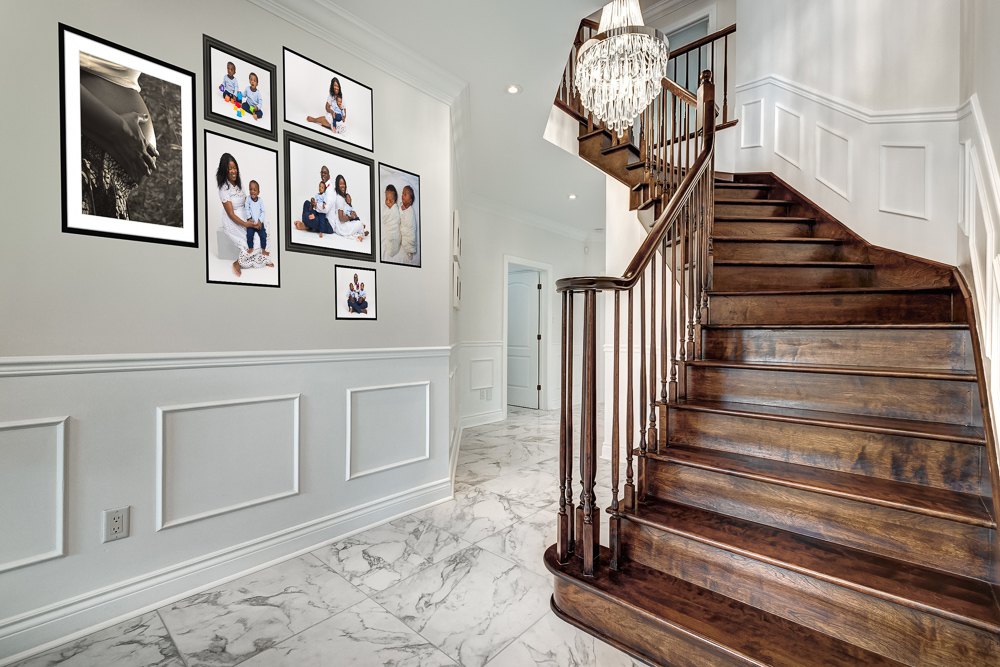
The most important parts of my work can’t be automated. Software can’t have a conversation with a mother and understand what she hopes to preserve about this particular age in her children’s lives. It can’t walk through a client’s home and recognize the right place for a family portrait. It can’t connect with a reluctant child and capture the expression his parents know so well. And it can’t sit with a family and help them decide which photographs they want to live with every day.
Those are the parts of my business I want to spend my time doing. 17hats helps make that possible by taking care of much of the administration behind them.
Thinking About Trying 17hats?
If you’re a solopreneur or run a small service-based business and think 17hats might help you organize your client work, you can use my discount code LISAMACO to save 50% on the first year of your 17hats subscription.